If you’re considering a home security system, the base station is the nerve center that holds everything together. SimpliSafe’s base station serves as the control hub for your entire security setup, communicating with sensors, detecting break-ins, and sending alerts straight to your phone. Unlike traditional wired systems that require a professional installation and wall-mounted panels, the SimpliSafe base station is designed for homeowners who want straightforward, no-contract security without the installation headaches. This guide walks you through what the base station does, how to set it up, and whether it’s the right choice for your home.
Table of Contents
ToggleKey Takeaways
- The SimpliSafe base station is a compact wireless hub that serves as the command center for your security system, communicating with sensors via closed-loop radio frequency that works even without internet.
- Installation is DIY-friendly and typically takes under 30 minutes—just unpack, charge, download the app, and pair your sensors without needing a professional technician.
- The SimpliSafe base station offers dual connectivity through both Wi-Fi and cellular backup, automatically switching to cellular if your internet goes down to ensure continuous protection.
- Built-in features include 24/7 optional professional monitoring ($15–$25/month), two-way talk capability, a 24-hour rechargeable battery, and adjustable siren settings for flexible control.
- A complete starter system costs $300–$400 upfront, making the SimpliSafe base station an affordable, no-contract alternative to expensive wired systems and premium competitors.
- Optimal placement in a central, elevated location away from metal objects and 2.4 GHz interference sources ensures strong wireless signals to all sensors throughout your home.
What Is the SimpliSafe Base Station and How Does It Work?
The SimpliSafe base station is a compact wireless hub that acts as the command center for your home security system. It pairs with door and window sensors, motion detectors, and other accessories to create a cohesive network that monitors your home 24/7. Unlike older alarm systems that rely on landlines or hardwired connections, the base station communicates with sensors using a closed-loop radio frequency, meaning your system works even if your internet goes down.
When a sensor detects an intrusion or unusual activity, it sends a signal to the base station. The base station then processes that signal and initiates your chosen response: sounding an alarm, sending you a push notification, contacting a professional monitoring service, or all of the above. The system runs on cellular backup, so if your Wi-Fi drops, you’re still protected. This redundancy is a major advantage for renters and homeowners who can’t rely on consistent internet stability.
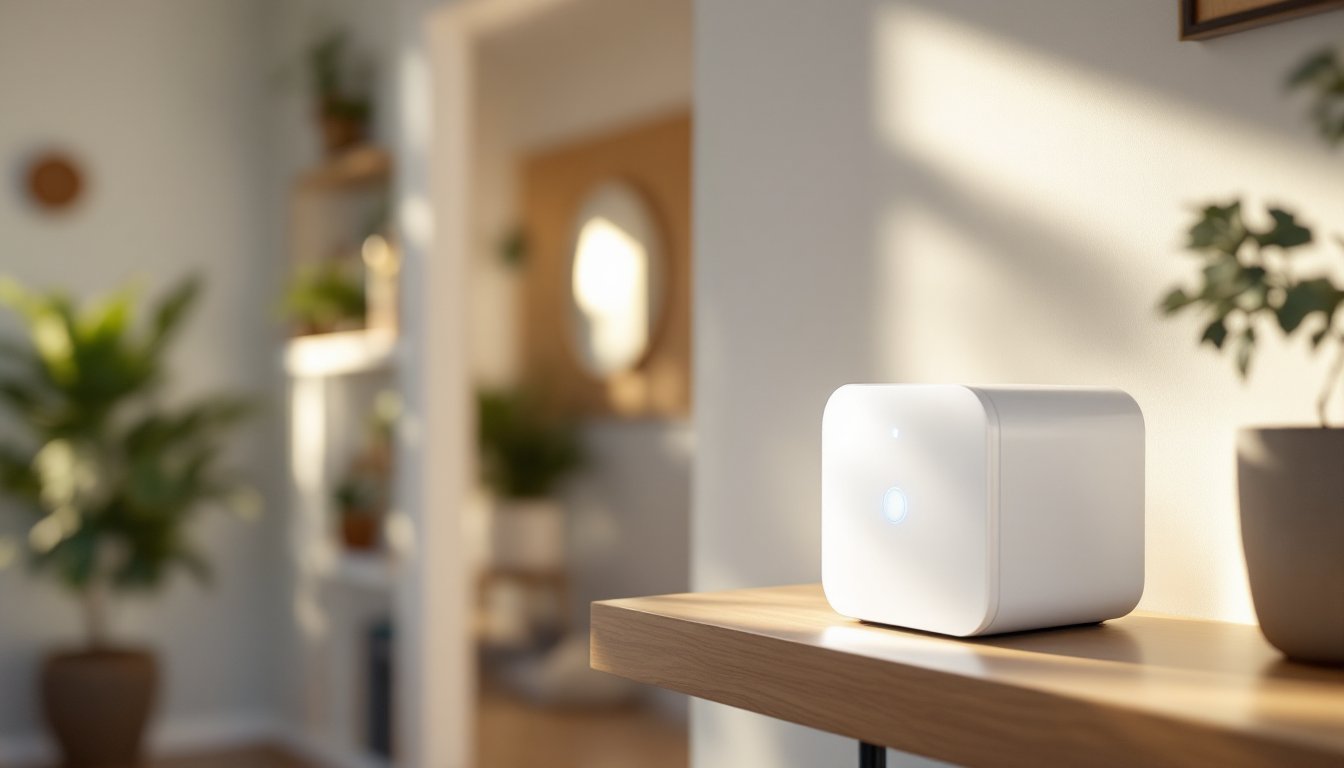
The base station itself is a small white cube about the size of a smart speaker, inconspicuous enough to sit on a shelf or nightstand without screaming “security system.” It ships with a rechargeable battery, so even during a power outage, the base station keeps running for several hours. That battery backup means your system doesn’t go dark the moment the power does, which is when intruders often strike.
Key Features and Specifications You Need to Know
SimpliSafe’s base station comes with several built-in capabilities that set it apart from cheaper wireless hubs. The 24/7 professional monitoring service is optional but worth considering, for about $15 to $25 per month, a monitoring center responds to alerts and can dispatch emergency services if needed. If you prefer self-monitoring, the mobile app sends instant notifications so you can assess the situation yourself.
The unit supports two-way talk through its built-in speaker and microphone, letting you communicate with visitors or potential intruders without opening the door. It also features an adjustable siren, you can set the volume or disable it entirely if you’re using the system for remote monitoring only. The battery lasts roughly 24 hours on a full charge, giving you plenty of time to restore power or reach an outlet.
Connectivity-wise, the base station supports Wi-Fi, cellular, and Bluetooth. It connects to your home network via 2.4 GHz Wi-Fi (5 GHz is not supported), and it includes a SIM card for cellular backup. If your internet provider goes down, the system automatically switches to cellular without any action needed. The base station is compatible with all SimpliSafe sensors released in recent years, and it plays nicely with third-party devices like smart home hubs. SimpliSafe’s equipment and app, making it easy to see how everything integrates.
Installation and Setup: Getting Your System Up and Running
Step-by-Step Installation Process
The beauty of SimpliSafe is that you don’t need a technician or a toolbox full of specialized equipment. Here’s how to get your base station operational:
-
Unpack and inspect. Remove the base station, battery, wall adapter, SIM card, and documentation from the box. Check that nothing arrived damaged, battery terminals should be clean and the exterior free of cracks.
-
Charge the battery. Even though the unit ships with some charge, plug it into the included wall adapter for at least 4 hours before relying on it. This ensures the battery is fully conditioned.
-
Download the SimpliSafe app. On your phone, install the official SimpliSafe app from your device’s app store. Create an account or log in if you already have one.
-
Power on the base station. Locate the power button on the back and press it. You’ll see a blue LED light and hear a startup sound. The unit will take 30 to 60 seconds to fully initialize.
-
Add the base station in the app. Open the app and select “Add Device.” Follow the on-screen prompts, which will guide you to scan a QR code on the unit or enter a code manually. The app will verify that your base station is genuine and register it to your account.
-
Configure Wi-Fi or cellular. The app prompts you to connect via Wi-Fi (enter your network name and password) or rely on cellular. If using Wi-Fi, keep the base station within 30 feet of your router for a strong signal. Cellular is already active if your SIM card is inserted, no additional setup needed.
-
Add sensors. Once the base station is online, add your door and window sensors, motion detectors, or other accessories through the app. Each sensor will pair via a brief wireless handshake. A detailed review of SimpliSafe’s home security system covers the setup process and confirms that most users complete it in under 30 minutes.
-
Test the system. Arm your system in “Home” or “Away” mode and test a sensor by opening a door or walking past a motion detector. Verify that you receive a notification on your phone.
Pro tip: Place the base station in a central, elevated location, a shelf in a hallway, bedroom, or closet works well. Avoid corners, closets, or areas surrounded by metal, which can weaken the wireless signal to sensors. If your home is large or signals are weak, SimpliSafe sells range extenders that boost the radio signal without requiring additional power outlets.
Connectivity and Network Requirements
The SimpliSafe base station is flexible about how it connects, but you do need one of these options in place. Wi-Fi is the primary choice for most homes, it’s fast, doesn’t add monthly costs, and integrates seamlessly with your home network. Your router should support 2.4 GHz band (most modern routers do). If your router is older or only broadcasts 5 GHz, you’ll need to enable the 2.4 GHz band in your router settings or purchase a dual-band extender.
Cellular backup is built into every base station via a SIM card. This isn’t an extra cost: SimpliSafe includes the SIM and the cellular connectivity as part of the system. The cellular link is separate from your phone’s plan and uses a dedicated data connection to SimpliSafe’s monitoring center. If your internet goes out, the base station automatically switches to cellular within seconds, you won’t even notice the transition. This redundancy is one of the system’s biggest selling points for people who’ve experienced internet outages.
Internet speed isn’t really a concern, the base station uses minimal bandwidth, so even basic 25 Mbps home internet is plenty. Latency (delay) is also low because the system uses local wireless signals for sensor communication: only alerts and app notifications travel over your internet. SimpliSafe’s home security review, which is important if you’re evaluating different providers.
Troubleshooting Common Base Station Issues
No network connection. If the base station isn’t showing up online, first check that your Wi-Fi password is correct in the app, a single typo will cause connection to fail. Restart the base station by holding the power button for 10 seconds, then power it back on. If it still won’t connect, power-cycle your router (unplug it for 30 seconds, then plug it back in) and try again. If you’re using cellular backup, make sure the SIM card is fully inserted and the metal contacts are clean.
Weak sensor signals. If sensors frequently show as offline or delayed, move the base station closer to those sensors or remove physical obstacles like walls, metal filing cabinets, or appliances. Microwaves and cordless phones operating on 2.4 GHz can interfere with signals, reposition the base station away from these devices if possible. A range extender is a reliable solution if you have a large home or basement sensors.
Battery drain. The battery should last 24 hours under normal operation. If it’s draining faster, check that the app isn’t constantly syncing in the background (disable unnecessary notifications or reduce app refresh frequency). If the issue persists, the battery may be aging and need replacement, SimpliSafe sells replacement batteries for about $25 to $40.
App notifications not arriving. Ensure that the SimpliSafe app has push notification permissions enabled in your phone’s settings. On iPhones, go to Settings > SimpliSafe and toggle Notifications on. On Android, check Settings > Apps > SimpliSafe > Permissions. Also confirm that your base station is online by opening the app and looking at the status indicator, it should show a green checkmark or “Connected.”
False alarms. If motion detectors are triggering unnecessarily, adjust their sensitivity in the app or move them away from vents, fans, and direct sunlight, which can cause false positives. Pets can also trigger motion sensors, use pet immunity mode if your system supports it, or place sensors above pet height.
Is SimpliSafe Right for Your Home?
SimpliSafe’s base station is ideal for renters and homeowners who want wireless, no-contract security without professional installation. If you value flexibility, affordable hardware, and the ability to arm or disarm your system from anywhere via your phone, this system delivers. The optional professional monitoring service adds peace of mind without locking you into long-term contracts.
But, if you need integration with smart home ecosystems beyond basic compatibility, or if you require hardwired sensors for specific entry points, you might explore other systems. SimpliSafe works with voice assistants and some smart home hubs, but the ecosystem isn’t as extensive as competitors charging significantly more.
The total cost is reasonable: the base station alone runs roughly $100 to $150, sensors cost $20 to $50 each, and monthly monitoring is optional at $15 to $25. A typical starter system with a base station and four sensors lands around $300 to $400 upfront, much less than traditional wired systems and far below premium wireless alternatives. If your home has unpredictable internet or you value cellular backup as a primary fail-safe, this system’s dual connectivity is a major strength. For most homeowners seeking straightforward, affordable security, the SimpliSafe base station is a smart, practical choice.